
You can now (kinda) enable Universal Control in macOS Monterey beta 5!
- David Kolenda

- Aug 29, 2021
- 2 min read
Universal Control is now (kinda) available in macOS Monterey!

So, one of the defining features in macOS Monterey, besides the redesigned Safari, Shortcuts app, and Focus modes, is Universal Control, and many people were confused when in the first few betas of macOS Monterey and iPadOS 15, Universal Control simply didn't work! However, now in macOS Monterey beta 5, Universal Control is implemented!... Well, kinda.
First, a quick refresher on what Universal control is - basically, if you have a Mac with macOS Monterey and an iPad with iPadOS 15 close by, you can use one mouse and keyboard on two different devices.
Now, for that catch that I've been mentioning, you need to add a specific file to a specific location, which means you can't do this on an iPad yet because you can't modify the system files, and for the cherry on top, it can only be used with Macs made after 2016. However, chances are, that if you have the technological smarts to install betas on two of your devices, this will be simple for you, so we'll walk you through it.
First, some preperations. If you have compatible devices (A Mac from 2016 or later with macOS Monterey installed), make sure handoff is turned on on both devices.Then download this file (originally created by Zhuowei on GitHub) and put it in this location -> Library/Prefrences/FeatureFlags/Domains/Ensamble.plist(the file you downloaded)
Now, just reboot the system, and you should see it in system prefrences!
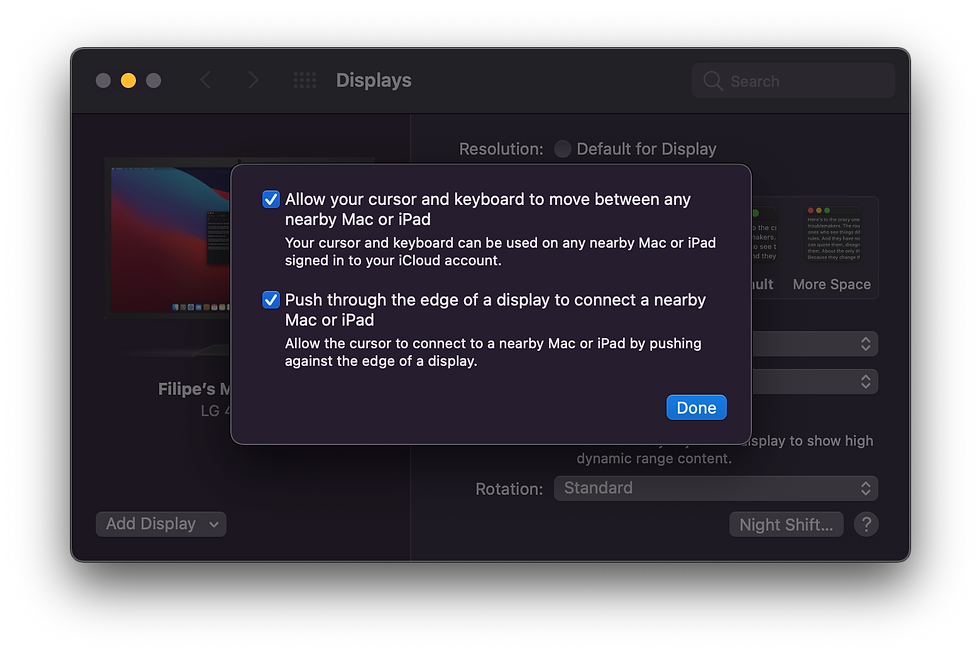
While I could not personally test this feature since I don't have two Macs running macOS Monterey, it seems that Twitter user Filipe Espósito did get it to work!
Overall, this looks like a pretty cool and useful feature that I can’t wait to use in the final retail release!
Credit: 9to5Mac, Macrumors, Filipe Espósito (Twitter), Zhuowei (Github)
Notes by Euri: Universal Control is super buggy (- Max Weinbach)


Comments